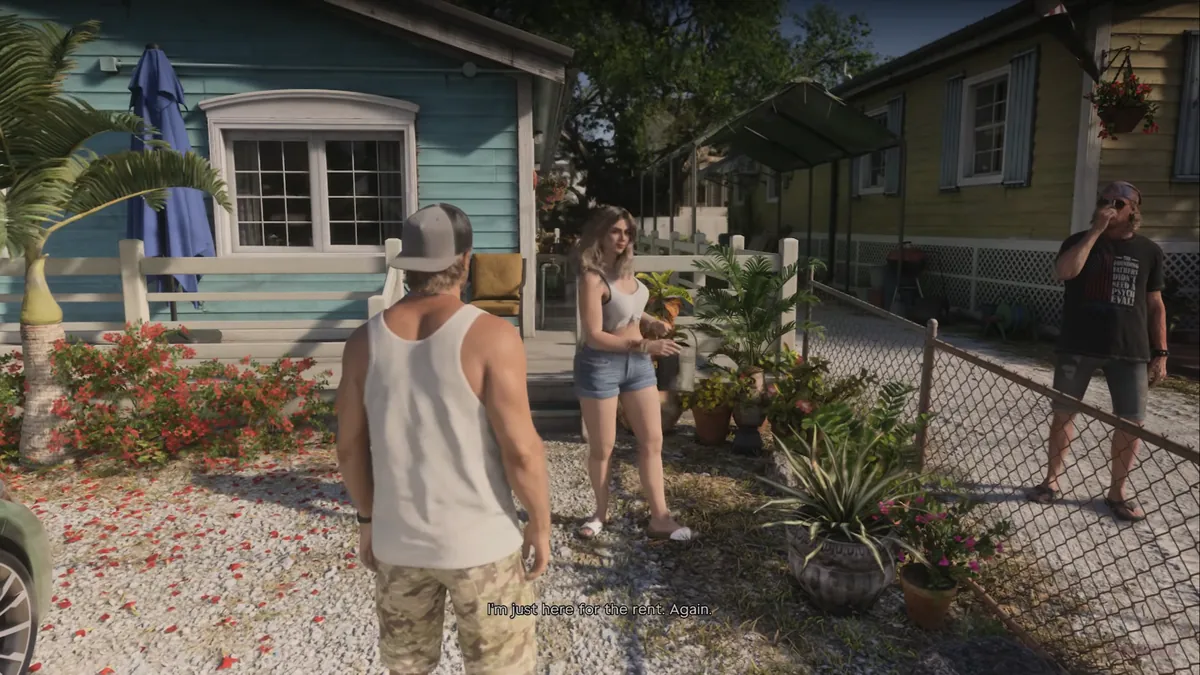
Soluce · Mission
Gear Up GTA 6: where to find Andrew and what to buy
In short
- Find Andrew · After playing Gone Fishing, go to Chuck’s Tackle & Shot in Key Lento and talk to Andrew at the counter.
- Exit from the store · Once the purchase of the mission is confirmed, close the catalog and exit through the glass door on the side of the parking lot.
After Gone Fishing, go with Jason at Chuck’s Tackle & Shot at Key Lento. Talk to Andrew at the counter and buy an accessible long gun with your balance. When the target suggests you go out, leave the catalog and head through the glass door on the parking side.
Jump to the video
| stage | Video passage |
|---|---|
| Find Andrew | See at 0:24 |
| Exit from the store | See at 2:50 |
Where can I launch Gear Up with Jason at Key Lento?
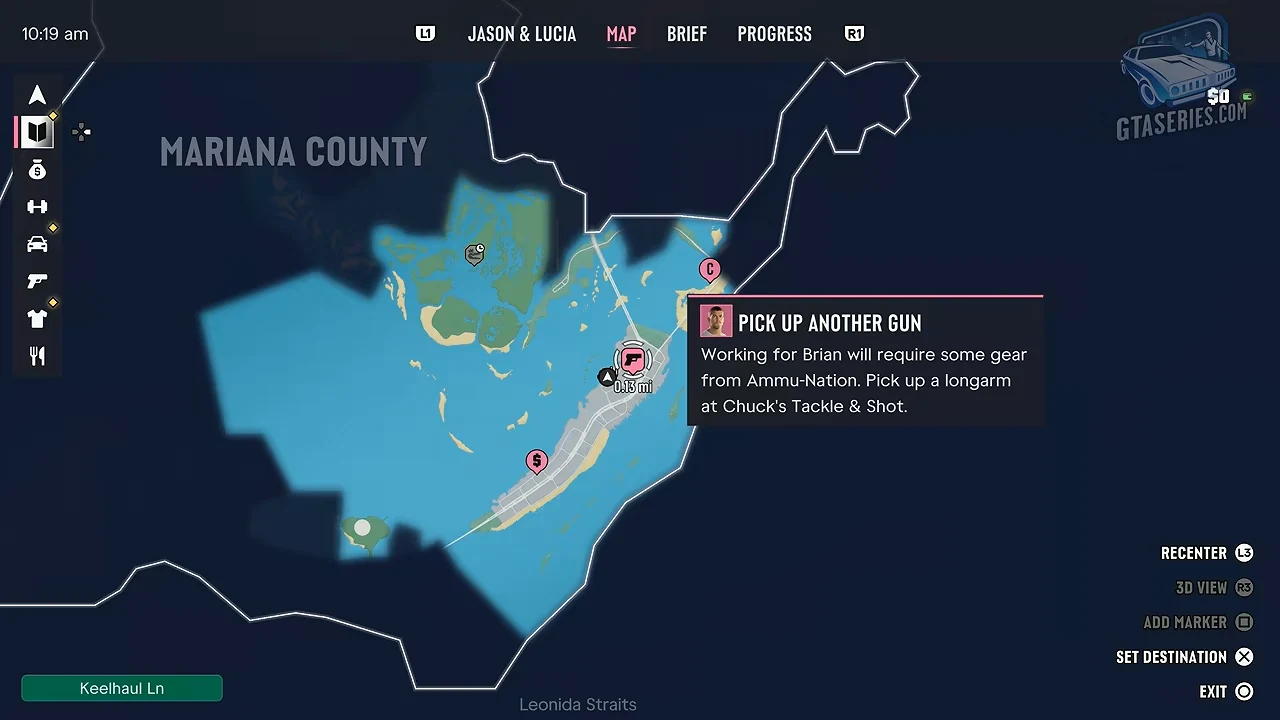
On the map of Chapter 1, select the objective “Pick Up Another Gun” after Gone Fishing. This is the movement of Jason to Key Lento’s shop, which triggers the visit. In the GTA Series Videos section, the player starts by opening the map. The selected point will display a small, dark icon. If you arrived from a save file and don’t know which Jason mission you started, open this icon before continuing your journey. Its title helps to distinguish this visit from the other tasks that await Jason in the Keys.
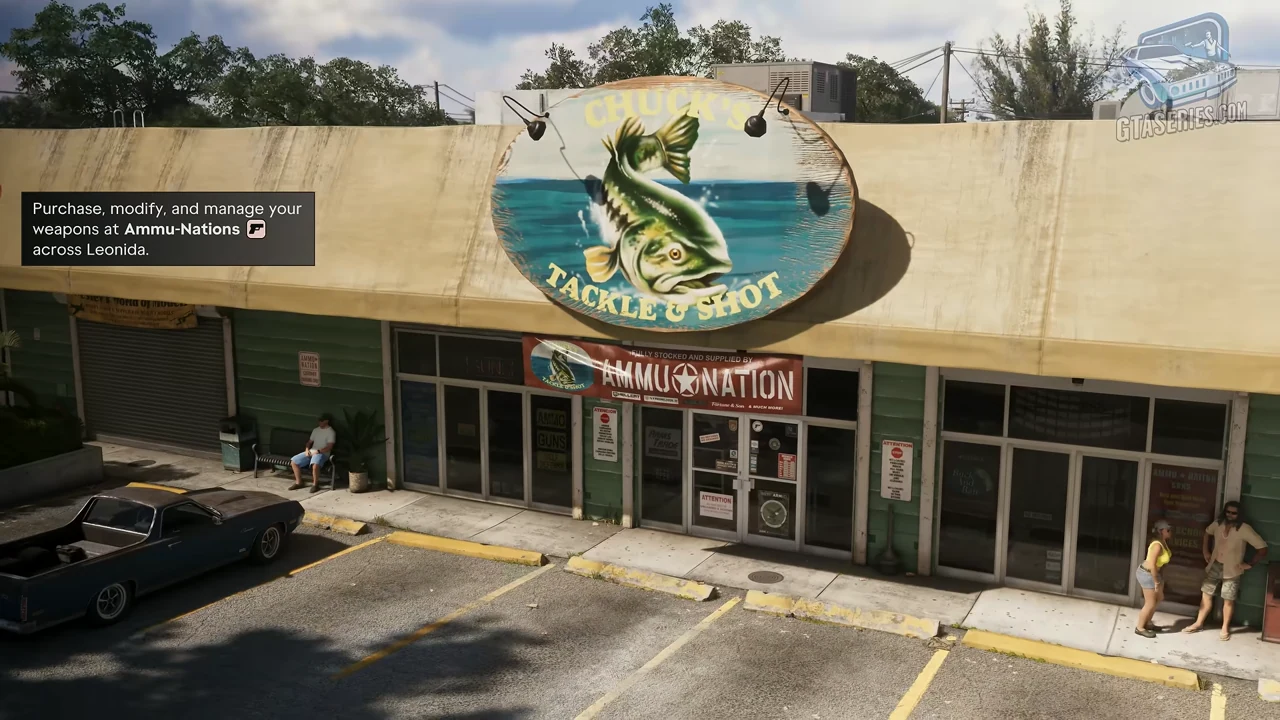
The setting can be misleading. The player arrives at a roadside shop that resembles more a fishing store than a weapons store. The sign on the front door reads “Chuck’s Tackle & Shot”. The first view on the map, along with the wide view shown in the video after entering the shop, complement each other. The first view shows the destination in the interface, while the second view helps the player identify the building once they get out of the car. Jason enters through the glass door that leads directly to the parking lot.
If you’re still on the boat of Gone Fishing, complete this sequence first. PowerPyx gives the completion of this mission as a condition for accessing Gear Up. Once Jason returns to the Keys, the location and name of the business serve as better landmarks than the episode number of a YouTube series. Some videos combine multiple races of Jason in the same episode.
Identify the right door and find Andrew again.
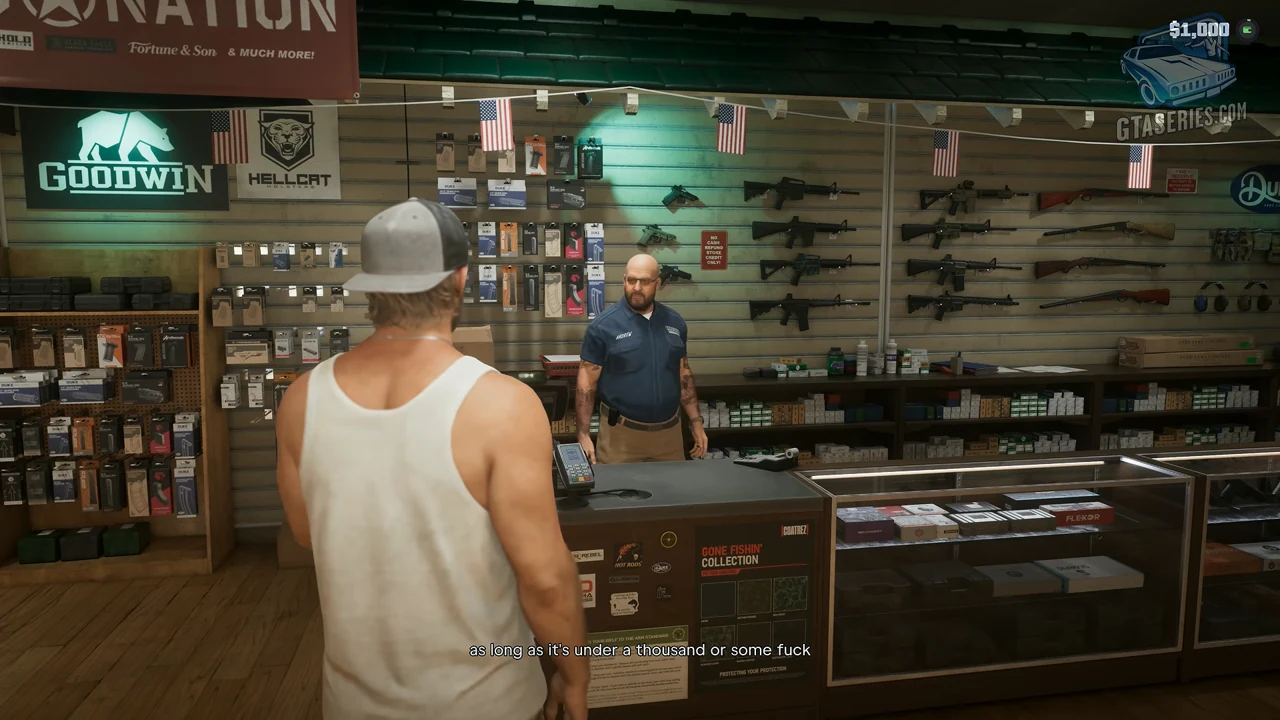
At the entrance, there are stickers on the windows and a sign that reads “Arms Trade”. The layout becomes much clearer once you step through the door. The long counter separates Jason from the staff members. The items are displayed behind the glass or on the walls, while the seller is located on the other side. Approach him. If you stand near the aisles that are open in the middle of the room, you can see the merchandise clearly. But you haven’t yet placed Jason in front of his customer.
Andrew is wearing a blue top in the video. At 00:59, he is facing Jason behind the counter, with a green sign behind him. It’s a good image to keep open if you’ve walked through the store in the opposite direction of the video. Turn the camera back to the counter and get closer to the person who is talking to Jason. Take the time to let their conversation begin. The sales screen then appears on a dark background, which is very different from the normal third-person view.
On the standard controls, PowerPyx indicates L2, then Triangle on PlayStation, or LT then Y on Xbox, to initiate interaction with the seller. First, check the prompt displayed in your area if you have changed your commands. At this point, the goal is to open Andrew’s catalog. You can browse the store, aim at an item using the camera, or exit through the door, but these actions do not confirm the purchase.
What kind of purchase counts as “Purchase a Longarm”?
The English word “longarm” is the key clue. The story requires an purchase within the long-range weapons category of the game’s catalog. The GTA Series Videos video shows the section for shotgun models, with the model being shown from the side against a black background. The name of the model is displayed at the top left, and the price is shown in the lower part of the same column. Both information are still visible, even though the model is almost occupying the entire screen.
To follow the shortest path, stay on the first level of the catalog, where you can choose a model. Compare the displayed price with the amount of money that Jason has in his save file. PowerPyx indicates that, on a part at the beginning of the chapter, the shotgun is usually the most affordable option. This is an indication of the budget you have. The remaining amount shown in the video may depend on what the player has done before. The decisive number for making the purchase will always be the one shown on your interface.
Once you have made your choice, confirm the purchase of the object itself. The game also offers other product families and detailed product descriptions. Opening these descriptions simply proves that the catalog works. If you want to know why the story refuses to progress, go back to the question that the objective posed when you entered the game. Has Jason actually obtained a model from the correct family since he arrived at Andrew’s place? The instruction that asks him to leave is the simplest way to verify this without having to repeat the entire mission.

How do I know if the game has recorded the transaction?
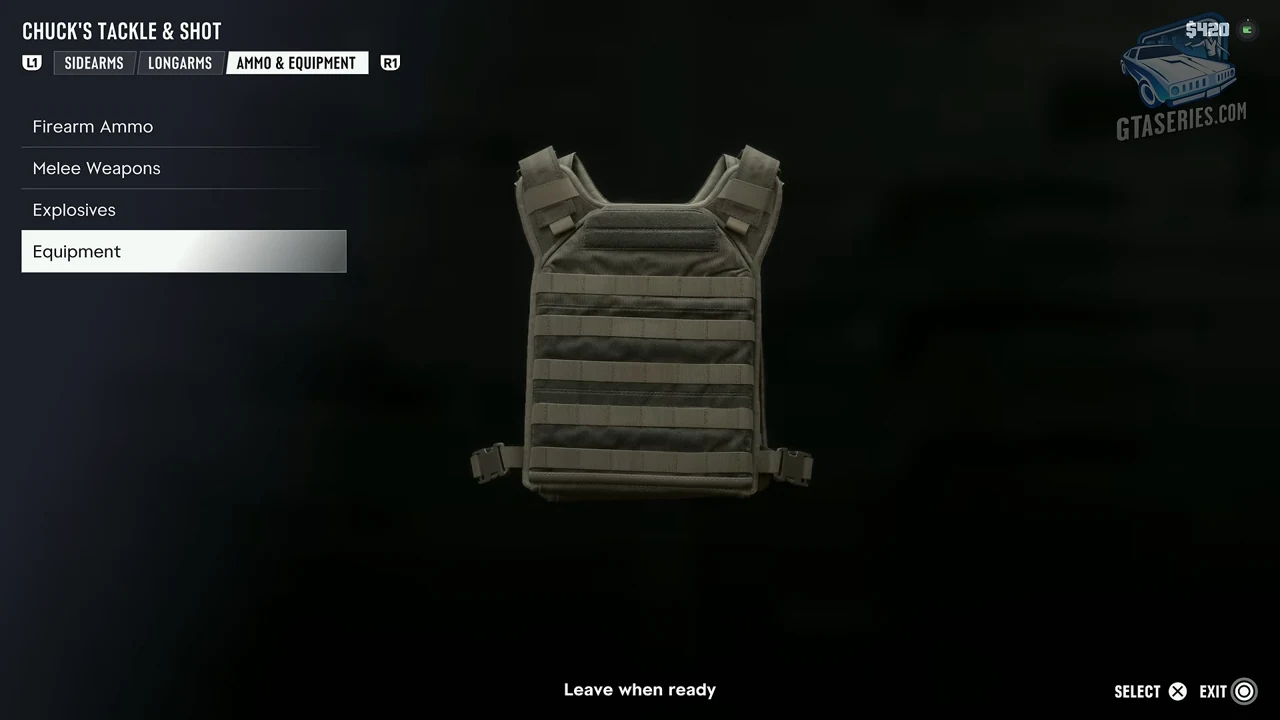
In the gameplay, the mission text changes even when the player still has the catalog open. We can see a commercial menu in the background, and at the bottom of the image, there’s a prompt asking the player to leave when they’re ready. This detail explains a common issue that occurs in the game. If the game continues to display articles, even though the prompt has changed, you can already return to Jason in the store and head towards the exit.
If you have opened a product page and then went to a second screen, use the “return” command indicated at the bottom of the page. Observe the change in the title at the top left corner each time you return. A single click can simply take you back to the previous sub-page. Continue until you find yourself back in the shop view with Jason on the screen. This path in the menus can be particularly easy to lose sight of, especially if you are playing in English and recognize the shop from the image without following the instructions.
The editing of GTA Series Videos retains a portion of the visit after the transaction. This is useful for identifying things that are of interest to the player. The display, an overview of items, or another page from the catalog, doesn’t add any steps to the objective once the initial message is displayed. In the second part, you can cut this section out. If you’ve started from a checkpoint, also check the bottom line before spending Jason’s remaining funds again.
Why does the game show the front of the building before Jason exits?
In the video, the store is filmed from the outside, while the visit continues inside. We can see the large sign, the display windows, and the parking spaces along the entrance. The angle of the shot is completely different from the one you used to talk to Andrew. It serves as a reference point to understand where the store is located in its surroundings. A few moments later, the player finds Jason inside, and they can choose the moment when he will cross the door.
This passage is particularly useful if, after leaving the menu, you pick up the controller again with the camera facing towards the counter. Look towards the illuminated storefronts and the door that leads to the parking lot. In the footage, shelves take up space on the right side when the camera is looking in that direction. If you walk around the counter or try to find an exit in the back of the store, you will be moving away from the door through which Jason entered.
Two signs allow you to make your decision without waiting for the video to look exactly the same as your own scene. You must have found the character in third-person, and the objective should give him the option to leave. When these conditions are met, cross the store and enter the main entrance. The time of day and the clothes Jason wears can change the appearance of the scene. The relationship between the counter, the entrance, and the parking spaces makes it much easier to locate the scene.

What happens in the parking lot?
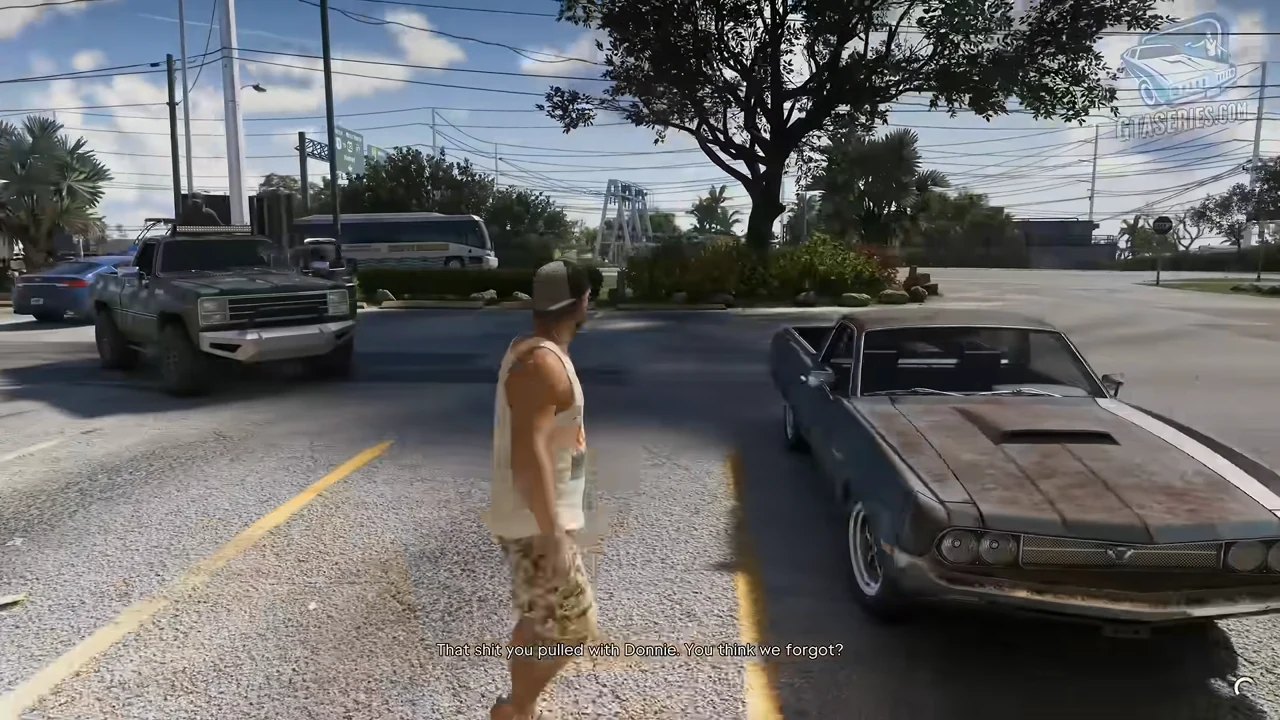
The return outside is part of Gear Up. In the recording, the car left near the shop, and the yellow lines on the parking lot help identify the same location as on the exterior plan. The scene continues with the arrival of the Kingfishers. If you’re looking at the guide to understand why the game didn’t immediately give you a new destination after purchasing it, keep reading until this point. The passage to the counter and the encounter in front of the shop are two separate moments within the same mission.
The comparison between the inside and outside also helps to understand the pace of the sequence. In the store, it’s the player who decides how much time to spend on the catalog. On the parking lot, characters come to meet Jason, and the story continues from there. Returning to flipping through the sales pages at this point wouldn’t be appropriate for this new situation. Keep the mission instructions on the screen, and let the dialogues continue until the sequence ends.
PowerPyx is a notable feature for those who have lost Jason during this encounter. The return to his home can also end Gear Up. Before reloading a previous save file to start over, check the objectives available after the character returns home. The GTA Series Videos section illustrates another possible progression of the story, with Jason still in the store area and an emergency call on the road. Both scenarios describe possible paths for the story after the meeting with Andrew.
How to recognize the end of the journey along the Keys?
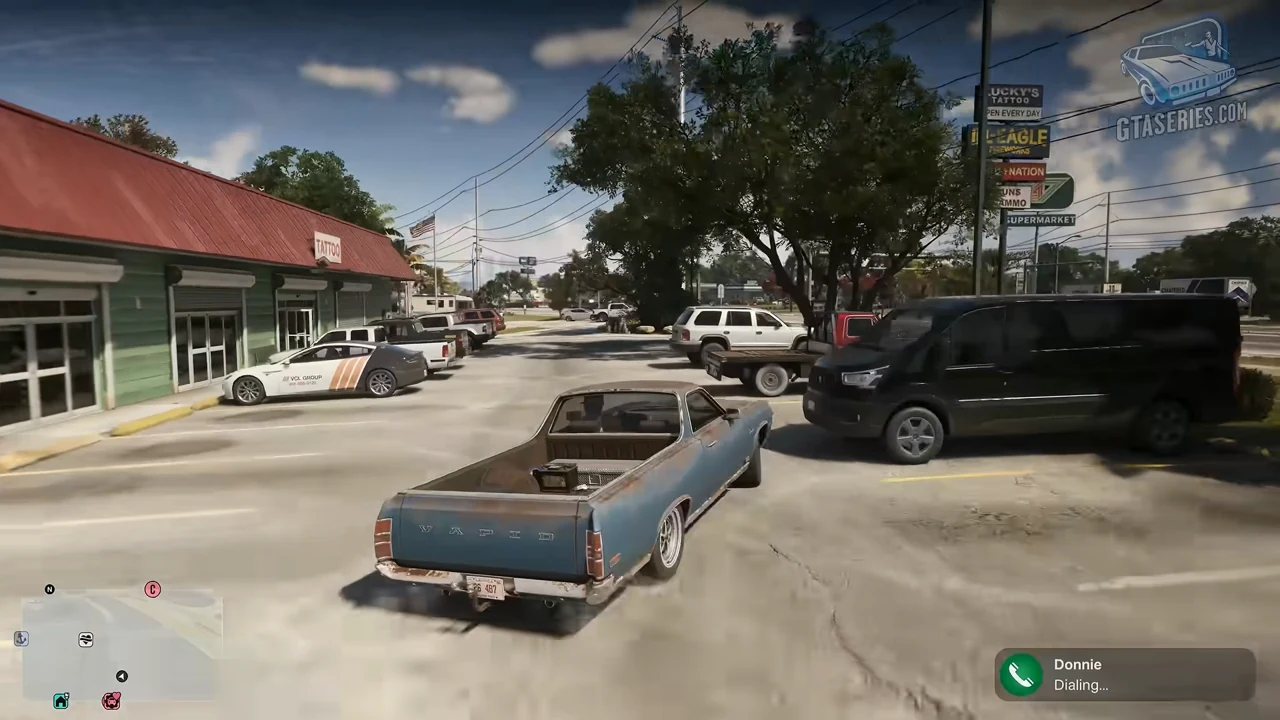
At the end of the video, the camera moves behind a blue pickup truck. The vehicle leaves the parking lot, returns to the main road, and moves away from Chuck’s sign. A contact appears on the phone’s interface. This is the right section to open if your question relates to what happens after the store closes. Searching for the same call during the interview with Andrew or when checking the catalog would be like comparing two different moments in Gear Up.
If you want to follow the conversation, keep the subtitles visible during the journey. Pay attention to the identity displayed at the time of the call. The video allows you to review those few seconds by pausing your own part. This way, you can hear the dialogue that you might have missed if you adjusted the camera at the end, without having to repeat the entire visit. The model of the vehicle used by the videographer provides a visual reference to help you find the right location. The initial choice made by Andrew involved Jason’s inventory.
Once you’re free to continue the story, open your card to see which of Jason’s activities are available in your backup. To continue collecting rent payments, the guide for Lab Fees explains the two addresses and the codes associated with them. To return to the beginning of this journey, the guide for Gone Fishing starts with Jason on the water. On the page of the first chapter, each mission is named. This is the simplest way to skip this sequence without revealing the rest of the story.
Continue the mission by following the screen displayed at the end.
If your last memory is related to that card, then follow the title of the objective until you reach Chuck’s Tackle & Shot. At this point, you can use the wide view from the front of the building to choose the right building, and then use the view from the glass door to locate the entrance. If you recognize Andrew’s face, go directly to the counter. The first few seconds of the game will be particularly useful for players who are still unsure about their destination.
If it’s the black background of the catalog that you remember, read the two leftmost corners of the screen. At the top, the name of the category indicates where you are in the navigation. At the bottom, the price and the selection status help you find the model you’re looking for. Then, focus your attention on the goal at the bottom of the image. A purchase prompt and an invitation to leave the store represent two different states of the same visit. This process takes less time than having to re-read all the details.
Finally, if you return to the front of the building or if Jason has already returned home, check your map and contacts before making another move. Returning home can be part of the conclusion described above. To compare two events, remember the last event you are sure about, whether it’s a transaction, an exit, or a call. The time stamps below refer to the recording of GTA Series Videos, and they will place you back at that event, regardless of how much time you spent in the menus.
The key point to remember for a quick review is the contrast between the two establishments. The sign says “Purchase”, while the name “Chuck’s” reminds you of fishing when you arrive on the street. Capturing the facade helps you overcome this hesitation even before you get out of the vehicle. Once you’re there, it’s Andrew who connects these two clues together.
Frequently asked questions
Where is Andrew located in Gear Up?
Andrew is behind the counter at Chuck’s Tackle & Shot, the Ammu-Nation of Key Lento near Jason.
Which section should I choose for Gear Up?
Open long guns. PowerPyx indicates that the shotgun is generally accessible with the starting budget.
How to know if the purchase is validated?
The Leave when ready instruction appears. You can close the catalogue and exit through the glass door.
Jason is back home after parking. Should he buy something back?
PowerPyx indicates that a defeat in the match could also end Gear Up. Check the available objectives before returning to Andrew’s place.